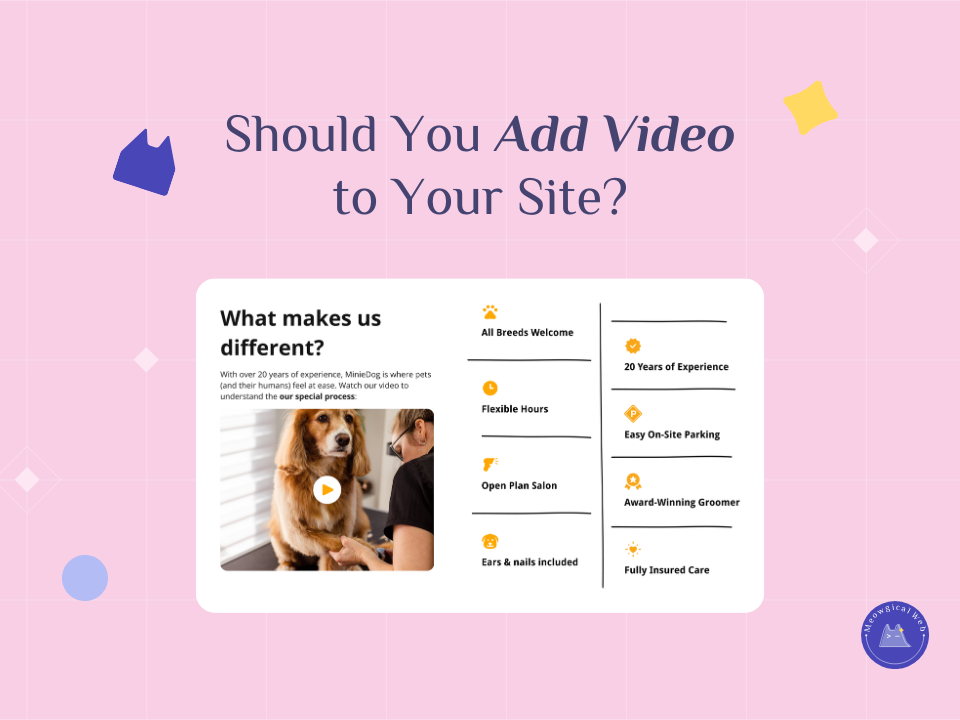
“Should I add video to my website?” This is one of the most common questions pet business owners ask. The answer? Maybe. But probably not the way you’re thinking about it.
Video can be incredibly powerful for building trust and showcasing your facility. However, bad video implementation tanks your site speed, annoys visitors, and actually hurts conversions. Additionally, many pet businesses add video because it seems modern without thinking about whether it serves their actual goals.
Let’s talk about what works, what doesn’t, and how to use video strategically without destroying your website performance.
What Doesn’t Work (But Everyone Does Anyway)
Auto-playing background videos are the worst offender. You know those homepage hero sections with looping video of happy dogs playing while text overlays it? They look impressive in website demos but create massive problems in real use. Additionally, they force every mobile visitor to download megabytes of video data just to see your homepage.
These videos slow load times dramatically. Remember that 3-second rule for mobile visitors? Background videos often add 5-10 seconds to initial load. Moreover, visitors on cellular connections with limited data plans get frustrated watching their data disappear.
Auto-playing videos are also just annoying. Visitors can’t control them easily, the movement is distracting, and many people find them unprofessional. Furthermore, they rarely add information that couldn’t be communicated better with a single great photo.
Five-minute facility tour videos sound good in theory. You want to show every detail of your beautiful boarding suites or grooming facility. However, nobody watches five-minute videos on websites. Additionally, video analytics consistently show that viewer drop-off happens around 30 seconds for most business sites.
Multiple videos per page kill load speed and overwhelm visitors. Each video adds scripts, players, and data that must load. Moreover, visitors don’t know which videos to watch first, so they often watch none.
What Actually Works
Short facility tours of 30-60 seconds work well on About pages. Show your best features quickly – boarding suites, play areas, grooming stations. Additionally, keep narration focused on what makes you different rather than describing everything visible on screen.
These work because they’re optional (on About page, not forced on homepage), brief enough that people actually watch, and focused on decision-making information. Moreover, they help anxious pet parents visualize their pet in your space.
“Meet the team” clips with 15-second staff introductions build personal connection. Quick videos of each groomer or vet tech saying “Hi, I’m Sarah, I’ve been grooming dogs for 8 years and I specialize in anxious pups” create trust. Furthermore, these humanize your business more effectively than text bios.
Service explainer videos show what to expect during grooming, boarding drop-off, or vet visits. Many pet parents feel anxious about leaving their animals. Additionally, showing the actual process reduces uncertainty and builds confidence in booking.
Client testimonial videos provide social proof that feels authentic. Real customers talking about their experience carries more weight than written reviews. Moreover, seeing genuine emotion from happy pet parents influences other parents who relate to those feelings.
According to Wyzowl’s State of Video Marketing, 91% of businesses use video as a marketing tool, and 88% of marketers report a positive ROI from video content. However, the key is strategic placement and optimization – not just adding video everywhere.
Similar to how photos need alt text for SEO, videos need strategic implementation to avoid hurting more than helping.
The Technical Side That Matters
Host videos on YouTube or Vimeo, not directly on your site. Uploading video files to your web server creates massive technical problems. Additionally, YouTube and Vimeo have sophisticated delivery networks that stream video efficiently across different connection speeds.
Embedding YouTube or Vimeo videos means the video data comes from their servers, not yours. This keeps your site loading fast. Moreover, these platforms provide player controls, quality adjustment, and mobile optimization automatically.
Make videos optional, never required for navigation. Videos should supplement content, not replace it. Additionally, some visitors can’t or don’t want to watch videos – they need text and photos as alternatives.
Ensure mobile-friendliness since most pet parents browse on phones. Videos must work on small screens with touch controls. Furthermore, they need to pause easily if someone’s browsing in public or doesn’t want video playing.
Add captions because many people watch without sound. They’re browsing at work, in public, or in quiet spaces. Moreover, captions improve accessibility for hearing-impaired visitors and help with SEO since search engines can index caption text.
The 60-Second Rule
Keep every video under 60 seconds maximum. Ideally, aim for 30-45 seconds. Viewer attention drops dramatically after 30 seconds on business websites. Additionally, shorter videos are easier to optimize and load faster.
Longer videos belong on YouTube as standalone content that people deliberately search for. Your website videos should be quick decision-making aids, not comprehensive tours. Therefore, think of them as enhanced photos rather than documentary footage.
Script videos before filming to keep them tight and focused. Know exactly what you want to show and say. Moreover, editing down a rambling 10-minute video to 60 seconds is way harder than filming 60 seconds of planned content.
When Video Isn’t Worth It
If you don’t have quality video, skip it entirely. Shaky phone footage with bad lighting and unclear audio makes your business look unprofessional. Additionally, poor video creates worse impressions than no video at all.
Fast-loading sites with great photos beat slow sites with mediocre video every time. Visitors would rather see clear, well-lit photos load instantly than wait for amateur video to buffer. Therefore, prioritize photography over video if budget forces a choice.
Video requires ongoing updates as your facility changes, staff turns over, or seasons change. Outdated video showing former team members or your old location damages credibility. Moreover, updating photos is simpler and cheaper than reshooting video.
Some pet services simply don’t benefit from video. Mobile grooming? Maybe show your van setup briefly. But honestly, good photos of your grooming work are more convincing. Therefore, consider whether video actually adds decision-making value for your specific service.
Creating Effective Pet Business Videos
Focus on what pet parents worry about most. Show clean facilities, happy pets, gentle handling, safety features. Additionally, address common anxieties directly in narration or captions.
Use real clients and pets (with permission) rather than staged footage. Authenticity shows through video even more than photos. Moreover, genuine reactions and emotions create stronger emotional connections.
Invest in decent lighting and audio if shooting yourself. You don’t need professional equipment, but a basic ring light and lapel microphone make enormous quality differences. Furthermore, clear audio matters more than perfect visuals.
Show staff interacting with animals naturally. Scripted interactions look forced. Additionally, brief candid moments of groomers working or staff playing with daycare dogs feel more authentic than staged performances.
End with clear calls-to-action. After showing your facility tour, tell viewers “Book a tour to see us in person” or “Schedule your first grooming today.” Moreover, include clickable buttons in embedded videos pointing to booking pages.
Testing Video Performance
Use YouTube Analytics or Vimeo Stats to track watch time. See exactly when viewers drop off. Additionally, compare video performance across different pages to identify what content works best.
Monitor site speed before and after adding videos. Use PageSpeed Insights to verify videos aren’t slowing your site significantly. Furthermore, test on mobile connections specifically since that’s where speed matters most.
Check conversion rates on pages with vs without video. Does video actually help booking rates? Moreover, A/B testing different video placements reveals what works for your specific audience.
Ask clients if videos influenced their decision to book. Simple surveys or casual conversations provide valuable feedback. Additionally, this helps you understand whether video investment pays off.
The Bottom Line on Video
Video is powerful when used strategically. Short, focused videos answering specific questions or building trust can absolutely improve conversions. However, video is never mandatory for successful pet business websites.
Many highly successful pet businesses have zero video on their sites. They use fast-loading photography, clear copy, and strong calls-to-action. Moreover, they prioritize site speed and mobile experience over impressive-looking video.
If you add video, keep it short, host it externally, make it optional, and ensure it serves a clear purpose. Additionally, monitor whether it actually helps or just adds complexity without benefit.
A fast-loading site with great photos and clear booking paths beats a slow, video-heavy site every single time. Therefore, video should enhance your already-strong foundation, not become the foundation itself.
Do you have video on your site currently? Is it helping or hurting? Time to evaluate honestly!