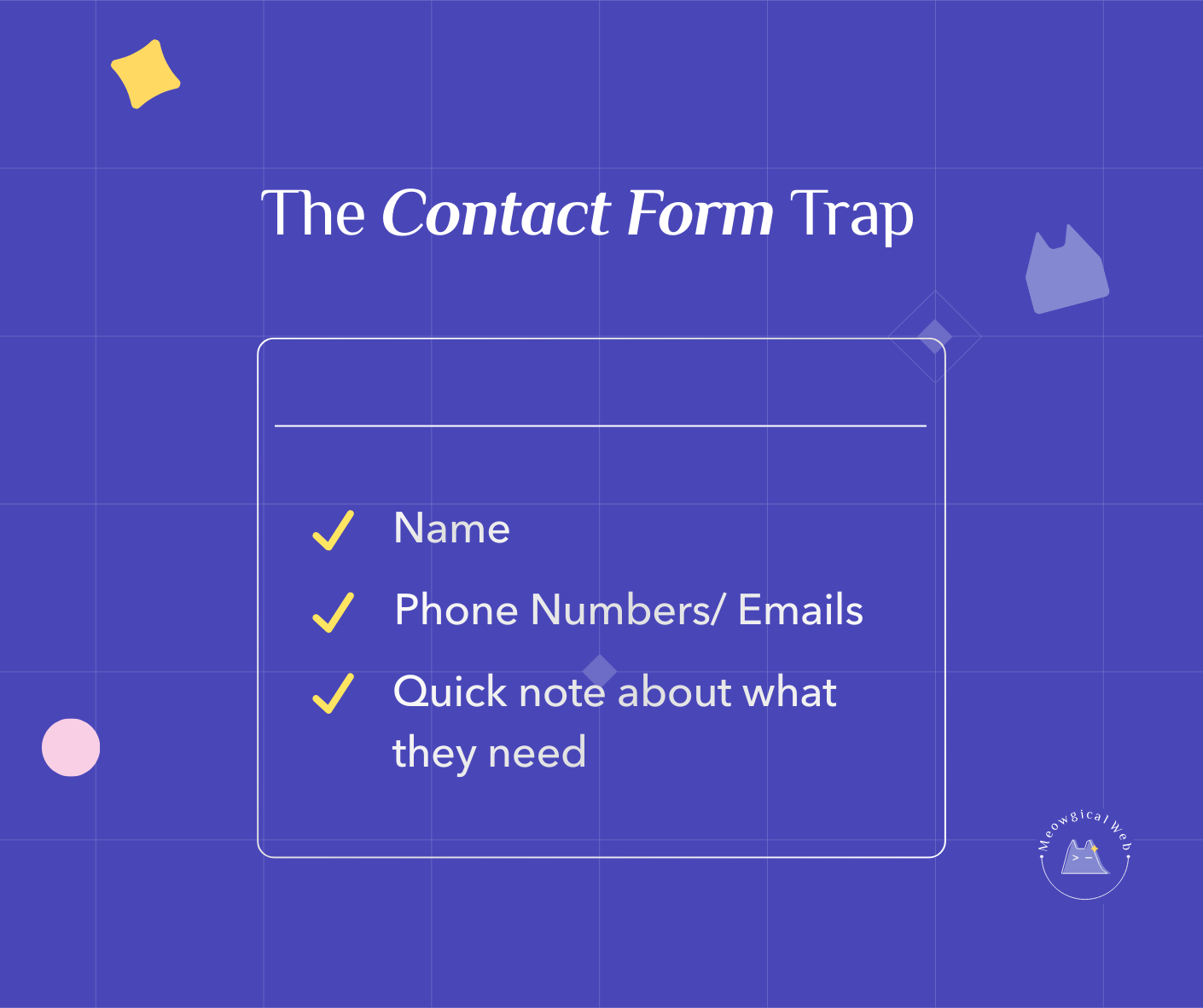
Pet business contact forms with 15+ fields asking for pet breed, age, temperament, grooming history, special needs, and detailed service requirements lose potential bookings because people abandon long forms before submitting. Consequently, effective contact forms ask only three essential things: name, phone number or email, and brief message about what they need. Detailed information can be gathered during actual phone conversations or intake appointments after initial contact is established. Therefore, the primary goal of contact forms is starting conversations with interested leads, not collecting complete client files before any human interaction occurs. Simplifying forms from 15 fields to 3 fields typically increases form submissions by 50-80% because the barrier to contact drops dramatically.
The Veterinary Clinic That Wanted Everything
A vet clinic built their dream contact form. They wanted efficiency. Moreover, they figured if clients filled everything out online, appointments would run smoother.
The form asked: Pet species. Breed. Age. Weight. Spayed/neutered status. Current medications. Vaccination history. Previous vet. Reason for visit. Preferred dates. Preferred times. Insurance information. Additionally, emergency contact details.
Their form submission rate was 12%. Meaning 88% of people who started the form didn’t finish it. However, they didn’t realize this was a problem. They assumed people just weren’t serious.
Someone tested the form themselves. It took seven minutes to complete. Additionally, they had to look up their pet’s exact vaccination dates. Find their previous vet’s name. Remember insurance policy numbers.
They simplified to three fields: Name. Phone/email. What brings you in today? Form submissions increased to 54%. Additionally, their phone started ringing more because people could actually reach out easily.
According to Formstack’s form conversion research, reducing form fields from 11 to 4 can increase conversions by 120%. Furthermore, each additional field you add decreases conversion rates. Pet parents want to connect, not complete paperwork before you’ll even talk to them.
Similar to how 10-second clarity matters on homepages, contact form simplicity determines whether people actually reach out.
What Actually Happens With Long Forms
Someone decides to contact you. They’re ready. Additionally, they open your contact form. Then they see 15 blank fields staring at them.
Their mental calculation starts. “This will take 10 minutes. Additionally, I need to dig up vaccination records. Look up my previous groomer’s name. Remember exactly when we last…”
They think “maybe I’ll do this later.” Later never comes. Instead, they call a competitor whose form just asked for basic contact info.
A boarding facility watched this happen through form analytics. People spent an average of 90 seconds on their long form. Additionally, 73% abandoned it. The ones who completed it took an average of 8 minutes.
After simplifying, people spent 30 seconds on the form. Moreover, 61% submitted it. The facility went from 5 form submissions weekly to 18. Additionally, these weren’t lower-quality leads. They were people who could now actually contact them.
The “But I Need That Information” Objection
Pet business owners resist simplifying forms. “But I need to know their pet’s breed!” “What if they have special needs?” “How will I prepare for the appointment?”
Here’s the truth: you’ll get that information. Additionally, you’ll get it better through conversation. Phone calls. Intake forms they complete after booking. Moreover, in-person during the actual appointment.
Right now, you’re not getting any information. Furthermore, the form is so overwhelming that people leave before submitting anything. Zero information is worse than partial information.
A trainer simplified her form from 12 fields to 3. She worried she’d waste time on unqualified leads. However, the opposite happened. She got more inquiries. Additionally, phone conversations revealed details faster than form fields ever did.
What Those Three Fields Should Be
Name is obvious. First name is fine. Additionally, you just need something to call them. “Hi Sarah” beats “Hi there” in follow-up.
Phone or email gives you a way to respond. Offering both options lets people choose their preferred contact method. Additionally, some people hate phone calls. Others hate email. Let them pick.
Quick note about what they need is the magic field. “My rescue dog needs grooming but she’s very anxious.” That tells you everything to start a conversation. Additionally, they can write as much or little as they want.
That’s it. Three fields. Additionally, takes 30 seconds to complete. Moreover, you have enough information to call them back and gather details.
The Mobile Form Experience
Most people fill out forms on phones. Additionally, typing on phones is annoying. Long forms on mobile are torture.
A daycare had a 10-field form. On desktop, it looked manageable. However, on mobile? Endless scrolling. Tiny text boxes. Additionally, the keyboard kept covering fields. People gave up constantly.
Simplifying to 3 fields made mobile submission actually pleasant. One screen. No scrolling needed. Additionally, large, easy-to-tap fields. Their mobile form submissions tripled.
When Detail Questions Cost You Money
Someone ready to book emergency grooming doesn’t want to answer 15 questions first. Additionally, they want to talk to a human immediately. Your long form delays that conversation.
A mobile groomer required detailed forms: pet size, coat type, last grooming date, specific services needed, location address, gate code, parking instructions. Furthermore, they wanted all this before anyone even spoke to them.
Potential clients felt exhausted before booking. Additionally, many just called other groomers whose forms were simple. The mobile groomer was losing bookings to competitors with worse services but easier contact processes.
The Follow-Up Conversation Solution
Simplifying your form doesn’t mean you don’t get details. Instead, it means you get them during actual conversation. Additionally, this is better for everyone.
Phone calls let you assess tone and urgency. Someone with an anxious pet sounds different than someone doing routine grooming. Moreover, you can ask follow-up questions that forms can’t handle.
Intake forms after booking work perfectly. “Great! I’ve blocked your time. Additionally, here’s a quick form with a few more details to help me prepare.” People fill these out because they’re already committed.
In-person intake during appointments captures everything accurately. Furthermore, you can see the pet yourself. Ask clarifying questions. Moreover, build rapport while gathering information.
Testing Your Current Form
Fill out your own contact form right now. Time yourself. Additionally, be honest about whether it feels easy or tedious.
Ask someone who’s never seen your business to fill it out. Watch their face. Moreover, notice where they hesitate or sigh. Those friction points are losing you leads.
Check your form analytics if you have them. What’s your submission rate? Additionally, how many people start but don’t finish? If more than 40% abandon your form, it’s too long.
Making the Change This Week
Count your current form fields. If you have more than 5, it’s probably too long. Additionally, you’re losing leads unnecessarily.
Keep only: Name. Phone or email (let them choose). Message about what they need. Furthermore, delete everything else. You can gather details later.
Test the simplified form yourself. Submit it from your phone. Additionally, make sure it works smoothly. Moreover, verify you get notifications when forms are submitted.
Monitor results for two weeks. Compare form submissions before and after. Additionally, track whether these leads convert to bookings. You’ll likely be pleasantly surprised.
The Real Purpose of Contact Forms
Your contact form exists to start conversations. Not to qualify leads completely. Not to gather every detail upfront. Additionally, not to screen out people who might require extra attention.
It exists to let someone say “hey, I need help” as easily as possible. Furthermore, everything else can happen after that initial connection.
That groomer with the 18-field form? She finally simplified it. Name, phone, and “tell us about your pet.” Additionally, her form submissions increased 340% in one month. Same website. Same services. Just easier to actually contact her.
How many fields does your contact form have right now? Go count them. Additionally, if it’s more than 5, you’re probably leaving money on the table. Moreover, fixing this takes maybe 10 minutes but could double your inquiries.
Make it easy for people to reach you. More conversations mean more bookings. Additionally, it’s really that simple.