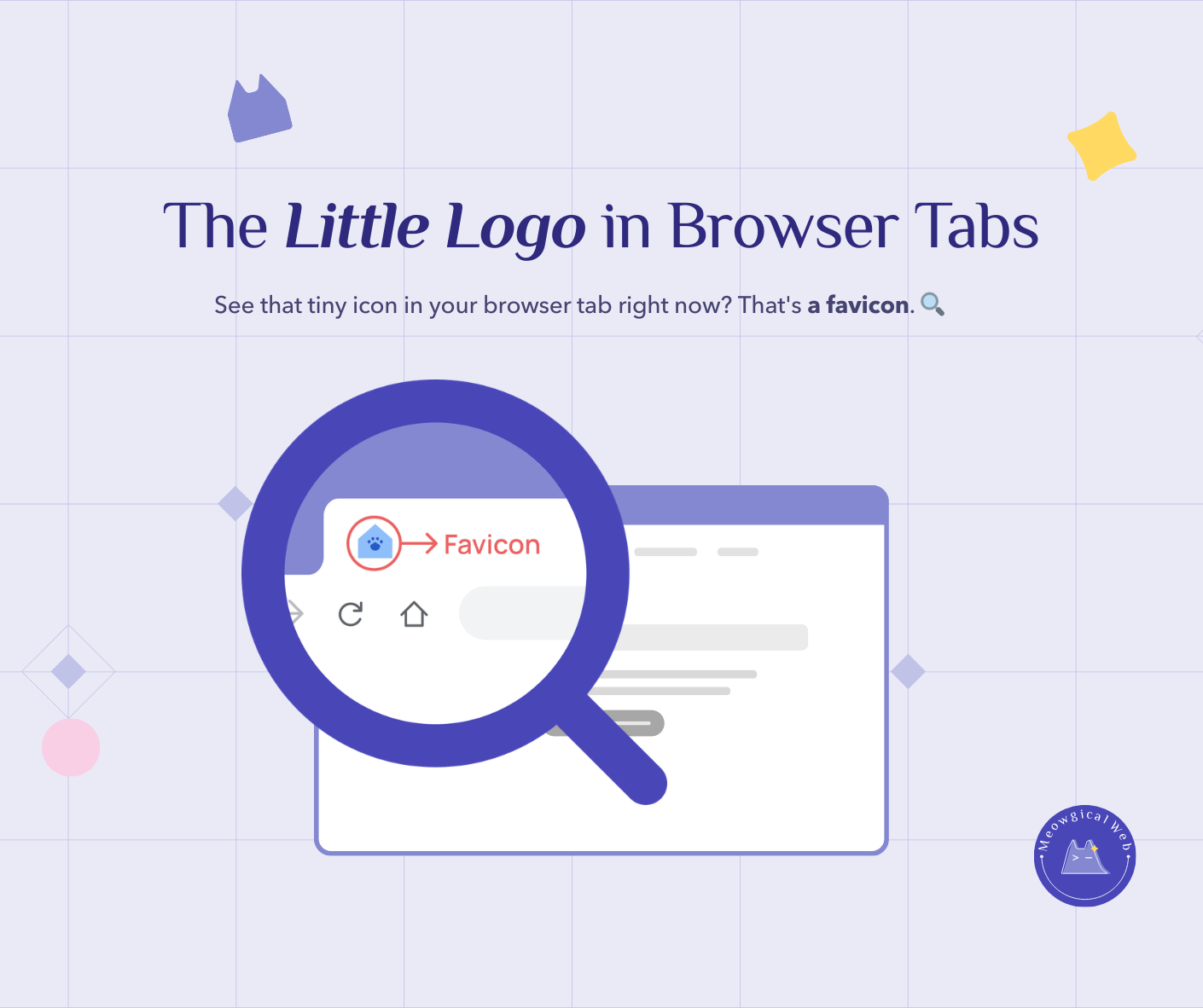
A favicon is the tiny icon appearing in browser tabs, bookmark lists, and mobile home screens when people visit or save your pet business website. Websites without custom favicons display generic browser icons or blank squares, which immediately signals an unfinished or unprofessional site. Consequently, custom favicons help stressed pet parents find your tab among the 15+ browser tabs they typically have open while researching services.
Additionally, favicons create instant brand recognition and professional polish that separates established businesses from amateur websites. Creating effective favicons takes only 3-5 minutes using simplified versions of your logo or business initials, and most web designers can implement them in minutes across any website platform.
The Grooming Salon That Looked Unfinished
A grooming salon had a gorgeous website. Professional photos, clear services, great reviews featured prominently. Everything looked polished and put-together.
Then a potential client mentioned something. “Your website looks really nice. However, when I had all those grooming sites open in tabs, yours just showed a blank square. Honestly, it made me wonder if you were actually established or just starting out.”
The owner had no idea what she meant. She pulled up her own website with multiple tabs open. Sure enough, her tab showed a generic icon while competitors displayed custom logos.
It seemed so small. Yet it created doubt about her professionalism.
Fortunately, adding a custom favicon took her designer five minutes. Suddenly her website looked complete. Clients could actually find her tab among all the others they had open.
What A Favicon Actually Is
That tiny icon in your browser tab right now? That’s a favicon. In fact, it appears in bookmark lists when people save your site. Furthermore, on mobile devices, it shows when someone adds your site to their home screen.
Most people never consciously notice favicons. However, they definitely notice when they’re missing. In reality, generic or blank favicons signal that something’s incomplete about your site.
Think about major websites you visit regularly. For example, Google’s colorful G, Facebook’s blue F, or Amazon’s smile arrow. These favicons are so distinctive you recognize them instantly among dozens of tabs.
Your pet business deserves that same instant recognition.
According to Nielsen Norman Group’s research on web credibility, small visual details contribute significantly to perceived professionalism and trustworthiness. In fact, missing favicons ranked among common elements that make websites appear amateur or outdated.
Similar to how small text makes websites hard to use, missing favicons create friction points that damage trust without people even realizing why.
When This Actually Matters
Picture someone researching boarding facilities for an upcoming vacation. They open six different options in tabs to compare. Meanwhile, they’re also checking flight prices and looking at packing lists. Multiple tabs compete for their attention.
When they circle back to compare boarding options, your custom cat icon helps them find your tab immediately. In contrast, competitors with generic icons force them to click through each tab, getting frustrated in the process. Ultimately, that small annoyance influences their decision.
Or think about someone who bookmarks your grooming site to call later. Their bookmarks list shows dozens of saved sites. In this case, yours has a distinctive paw print icon while others show blank squares. As a result, they can find you easily when they’re ready to book.
Similarly, someone adds your mobile grooming site to their phone’s home screen. That custom icon sits among all their other apps, looking professional and established. In turn, it reinforces your brand every time they glance at their phone.
When Missing Favicons Cost Real Business
A veterinary clinic wondered why their website traffic looked decent but return visits were surprisingly low. People visited once, then never came back.
Someone eventually explained: “I bookmarked your site but couldn’t find it later. I couldn’t remember your exact name, and all my veterinary bookmarks looked the same. So I just called a different clinic instead.”
Fortunately, adding a distinctive favicon solved this problem immediately. In fact, the clinic’s return visitor rate increased noticeably because people could actually find them again in their bookmarks.
A cat boarding facility had no favicon at all. Someone researching cat boarding opened five different facilities in tabs. Then they got interrupted by a phone call. When they came back to their browser, they couldn’t remember which tab was which facility.
Frustrated, they closed all the tabs and just called the first boarding place they could remember the name of. Unfortunately, it wasn’t the cat boarding facility. They lost a potential booking over something that takes five minutes to fix.
What Makes Good Favicons
Simplicity wins every time. Favicons are tiny—typically 16×16 or 32×32 pixels. Therefore, complex logos become unrecognizable blobs at that size. Instead, simplified versions work infinitely better.
For example, a grooming salon tried using their full logo as a favicon. It included their business name, a detailed dog illustration, and decorative flourishes. Predictably, at favicon size, nothing was visible except a muddy blur.
Instead, they simplified it to just a paw print in their brand color. Instantly recognizable at any size.
Your logo or initials both work perfectly. For instance, if your business is “Paws & Claws Grooming,” either a simplified paw icon or the letters “PC” make great favicons. In addition, use your brand colors to make it distinctive.
High contrast matters too. Light colors on white backgrounds disappear completely in browser tabs. In contrast, bold colors stand out clearly. Therefore, make sure your favicon is visible in both light and dark browser modes.
For example, a cat boarding facility used a light pink cat silhouette. It looked pretty on their website but completely invisible in browser tabs with light backgrounds. Fortunately, switching to deep purple made it pop instantly.
Creating One Takes Minutes
Most people think favicons require technical expertise and special software. In reality, the creation part is surprisingly simple. Furthermore, implementation is even easier if you have basic website access.
Start with a simplified version of your logo. Crop it to a square shape. Then save it at 512×512 pixels—your website will automatically resize it for different uses.
Alternatively, if your logo’s too complex to simplify, use your initials instead. Pick a background color from your brand palette. Then add your initials in a contrasting color. Save as a square image. Done.
Fortunately, free tools make this even easier. For instance, Canva has favicon templates built in. Similarly, Favicon.io generates favicons from text, images, or even emojis. These tools handle all the sizing automatically.
For example, a mobile groomer created hers in three minutes using Canva. She selected a template, added her business initials “MG” in her brand colors, and downloaded the file. Then her web designer uploaded it in another two minutes. Five minutes total from start to finish.
How Designers Add Them
If you have a WordPress site, your designer logs into your dashboard, goes to Appearance > Customize > Site Identity, and uploads your favicon file. It takes about 30 seconds.
Similarly, other platforms work the same way. Squarespace, Wix, Shopify—they all have straightforward favicon upload options. In fact, this isn’t complex technical work at all. Any web person can handle this quickly and easily.
However, if your designer says this is complicated or expensive, that’s a red flag. In reality, this is genuinely one of the easiest website updates possible.
For instance, a boarding facility’s designer charged them $150 to add a favicon. The actual work took five minutes. Clearly, this should be a quick, simple update—not a major project worthy of a significant invoice.
Check Your Situation Right Now
Pull up your website right now. Look at the browser tab. What do you see?
If it’s your logo or a custom icon, you’re set. However, if it’s a generic browser icon or blank square, you’re missing this professional polish.
Next, open a few tabs with competitor websites. See how yours looks in comparison. Notice which sites stand out as professional versus incomplete.
Then try bookmarking your site. Check what icon shows in your bookmarks list. Honestly, would you easily find this bookmark among dozens of others?
Making It Happen This Week
First, find or create a simple square image representing your business. Your simplified logo or initials works perfectly. Make it 512×512 pixels if you’re creating it yourself.
Alternatively, if you’re not design-savvy, ask your web person to create one. This is a five-minute request. Any competent designer should handle this without hesitation or drama.
Then have them upload it to your website. Test it by opening your site in a new tab. Finally, check that it appears correctly in the tab and in your bookmarks.
That’s literally it. Simple, quick, noticeably more professional.
The Unexpected Benefits
Beyond helping people find your tab, favicons appear in search results on some browsers and platforms. Additionally, they show up in social shares occasionally. In fact, they reinforce your brand in subtle ways throughout someone’s browsing experience.
For instance, someone who’s bookmarked your site sees your icon regularly while browsing their saved pages. That repeated visual exposure builds familiarity without them even thinking about it. Over time, familiarity builds trust.
A training facility added a custom favicon six months ago. Recently, a client mentioned something interesting: “I don’t know why, but your site just feels more established than other trainers I looked at. Somehow, everything seemed more professional.”
Those small touches add up to create big impressions about your business.
The Detail That Shows You Care
Favicons seem minor in the grand scheme of website design. However, they’re part of the bigger picture of professionalism and attention to detail. In reality, they signal that you care about the complete experience, not just the obvious parts.
Someone researching pet services notices these things subconsciously. Websites with custom favicons feel finished. In addition, they feel trustworthy. They feel established and professional.
Does your site have a custom favicon? Can people find your tab easily when they have a dozen others open? Does your bookmark stand out in a crowded list?
If not, this is one of the easiest website improvements you’ll ever make. It takes minutes but lasts forever. In fact, it’s genuinely a small touch that makes a big difference in how people perceive your business.
Pull up your site right now. Check that browser tab. If you see a generic icon or blank square, add this to your to-do list for this week. Your clients will appreciate it, even if they never consciously notice why your site feels more complete and professional than your competitors’.